
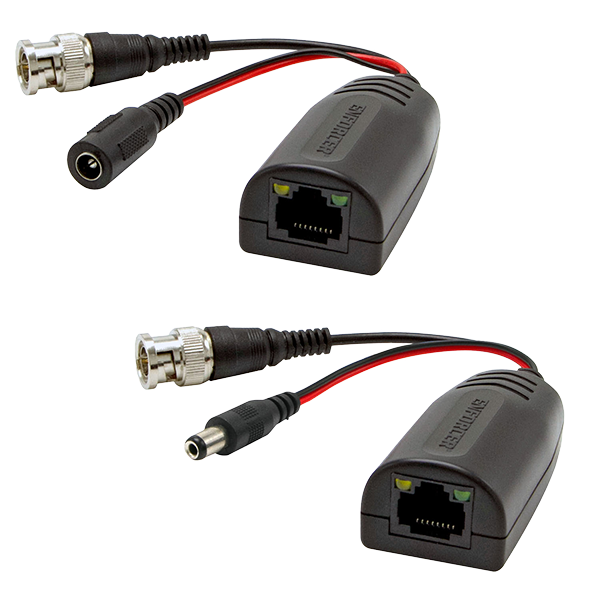

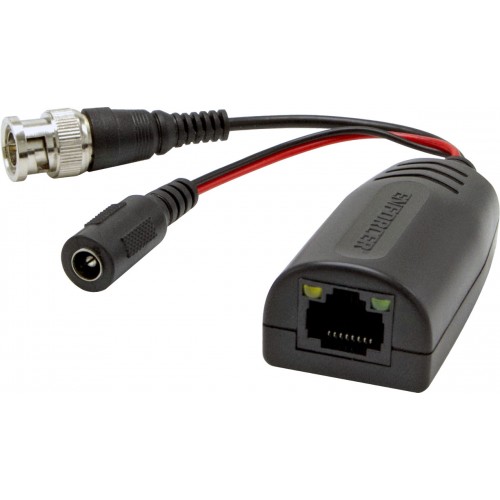



- 4-in-1 TVI / CVI / AHD / Analog video up to 5MP
- NTSC / PAL / SECAM compatible
- Transmits video up to 1,476ft (450m) depending on format, resolution, and cable used
- Transmits power for 12/24 VAC/VDC cameras
- Built-in TVS surge protection
- Anti-static and wave filters
- Lightning Protection — Grade II
- 60dB Crosstalk and noise immunity
- Exceptional interference rejection
- Passive operation — no external power required
- Real-time transmission over low-cost Cat5e/6 cable instead of costly coaxial cable
- RJ45 Jack and pigtails for easy installation
- Includes one transmitter and one receiver
- Sold as Pair
| Range | TVI: 1080p: 820′ (250m) / 5MP: 590′ (180m) CVI: 1080p: 820′ (250m) / 4MP: 656′ (200m) AHD: 1080p: 820′ (250m) / 5MP: 590′ (180m) Analog (B/W): 1,476′ (450m) Analog (Color): 1,312″ (400m) |
| Common/differential mode rejection | 60db,15kHZ~71MHz |
| Operating Temperature | -4°~158°F (-20°~70°C) |
| Humidity range | 0~95% (Non-condensing) |
| Power | No external power required |
| Wire Type | UTP (Unshielded Twisted Pair) 24~16 AWG |
| Wire Category | Cat5~Cat6 |
| Camera Side – Power Out | DC Plug |
| Camera Side – Video In | BNC |
| Impedance | Coax, male BNC: 75Ω@1MHz RJ45:100Ω@1MHz |
| Attenuation | 8dB max. |
| Frequency response | DC-71MHz |
| Max. amperage | 1A@12VDC |
| Power Range | 755′ (230m) max. |
| UTP Connection | Nickel Plated |
| Video Format | NTSC, PAL, SECAM |
| Video Input | 2KV (common mode), 10/700μs IEC6100-4-5/1955 (GB/T 1726, 5-1999) |
| Video Output | 2KV (differential mode), 10/700μs IEC6100-4-5/1955 (GB/T 1726, 5-1999) |
| DC Loop resistance | 52Ω/1000′ (18Ω/100m) |
| Differential capacitance | 19pF/ft max. (62pF/m max.) |
| Storage Temperature | -40°~302°F (-40°~150°C) |
| Case | ABS Plastic |
| Weight | 2.5-oz (72g) |
| Dimensions | 2-3/8″x1-3/16″x1-3/16″ (60x20x30mm) Excluding pigtail and BNC connector |
| Wavy or ghost image if connected to image processor (e.g., multiplexer or DVR), but not if directly to monitor |
|
| Image background flutters between dark and light |
|
| Image is wavy and shakes |
|
| Image is weak or faded |
|
| No image |
|