
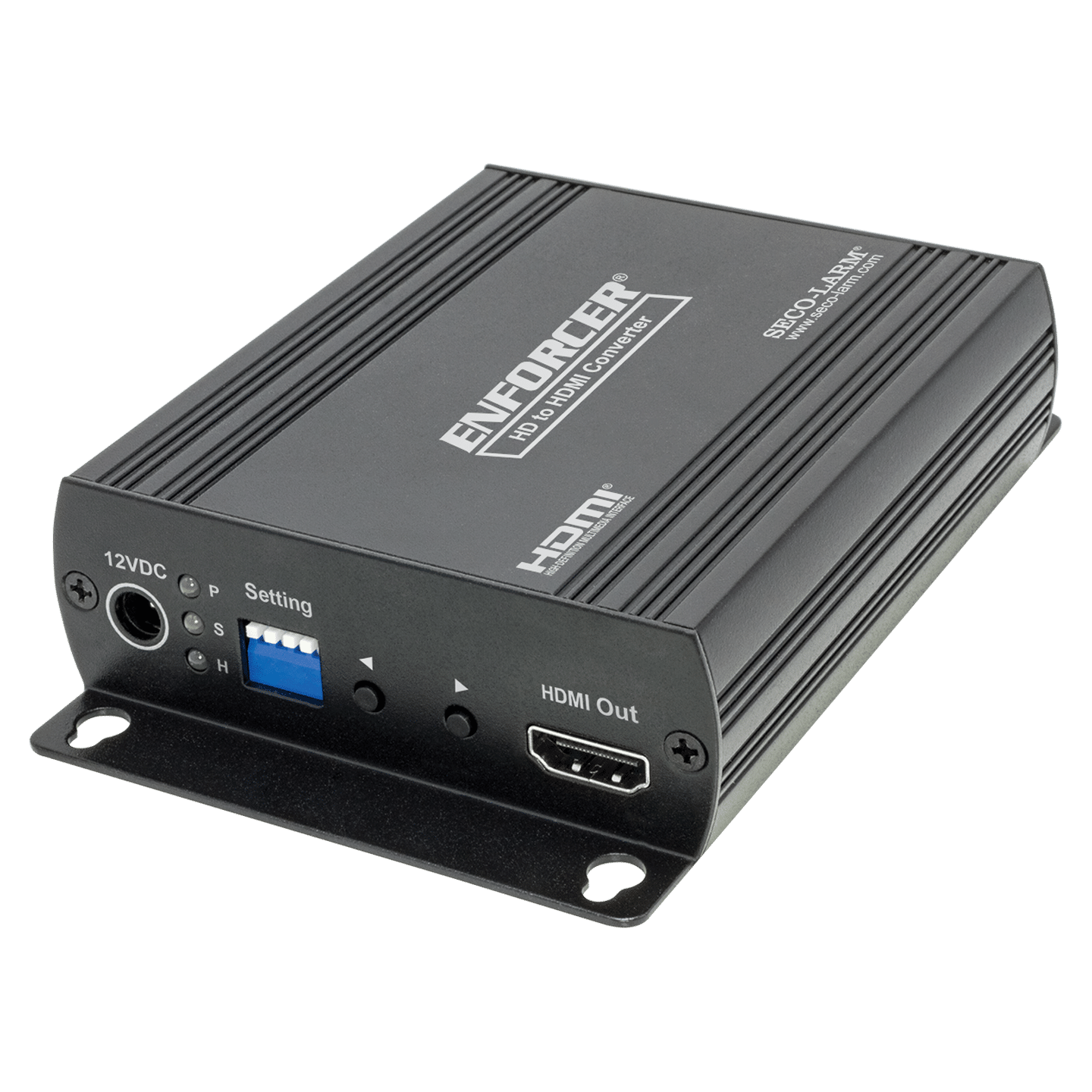

- Converts HD-TVI, HD-CVI, HD-AHD, or analog/CVBS video to HDMI, VGA, CVBS, or loop output
- Secondary BNC connection supports CVBS conversion, loop output, or dual HD analog video input
- Dual HD Analog video input mode to switch between multiple video inputs
- Wall mountable with included screws
- Picture-in-picture mode when dual HD analog video input used
- HDMI/VGA output support: 480p, 576p, 720p, 1080i, 1080p
- CVBS output support: NTSC, PAL
- CVBS underscan adjustment
- Compact, perfect for plug-and-play installations
- Quick installation, no driver or operating system requirements
| Input Signal | HD-TVI, HD-CVI, HD-AHD, NTSC, PAL |
| Output Signal | HDMI, VGA, CVBS, loop output |
| Input resolutions supported | 720p@25/30/50/60 Hz, 1080p@25/30 Hz, NTSC, PAL |
| Output resolutions supported | HDMI/VGA – 480p, 576p, 720p@50/60 Hz, 1080i@50/60 Hz, 1080p@50/60 Hz, CVBS – NTSC/PAL |
| Output connector | HDMI – Type A 19-pin female, VGA – D-SUB 15-pin female, BNC – 75Ω 1Vp-p |
| Input connector | BNC (75Ω 1Vp-p) |
| Maximum input cable length | HD-TVI, HD-CVI, HD-AHD: 984ft (300m); CVBS: 328ft (100m) |
| Maximum output cable length | HDMI: 16ft (5m); VGA: 16ft (5m); CVBS: 328ft (100m) |
| Power supply | 500mA@12VDC |
| Power consumption | 350mA (max.) |
| Operating Humidity | Up to 95% |
| Operating Temperature | 32°~131° F (0°~55° C) |
| Dimensions | 5-1/8″x3-7/16″x1-3/16″ (130x88x30 mm) |
| Weight | 9.7-oz (275g) |
| HDMI or VGA monitor does not display properly |
|
| HDMI Output side LED not lit |
|
| VGA Output side LED not lit |
|
| HD-AHD or HD-CVI outputting B&W video |
|