
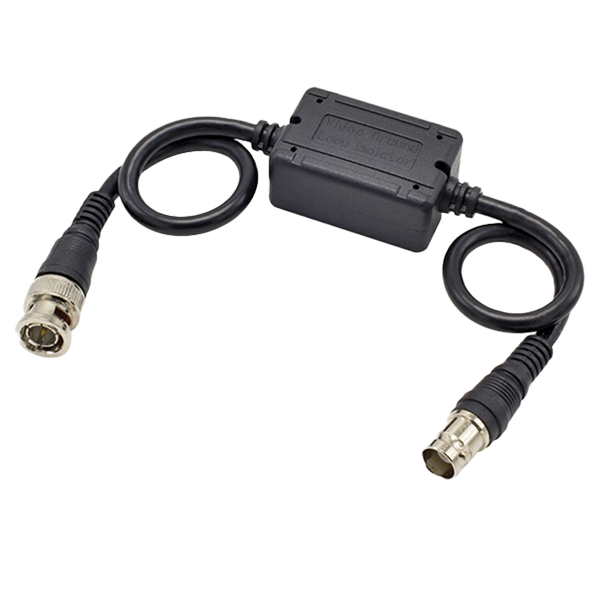


- TVI / CVI / AHD / Analog compatible
- Reduces ground loop interference
- BNC terminals for easy installation
- Built-in surge protection
- Prevents video-signal distortion, picture tearing, cross talk, and other picture quality problems
- Passive operation – No external power required
- Use with standard BNC coax cables or with 4-in-1 HD video baluns
| Bandwidth | Video DC to 40MHz |
| Insertion Loss | ≤0.5dB |
| Frequency Response | 5Hz~10MHz |
| Isolation Voltage | 800VDC (min.) |
| Insulation Resistance | ≥100MΩ |
| Surge Protection | 4kV, 10/700μs IEC 61000-4-5/1955 |
| Connector- In | BNC Male |
| Connector- Out | BNC Female |
| Impedance | 75Ω (BNC-to-BNC) |
| Cable Length | 7-7/8″ (200mm) each side |
| Material | ABS Plastic |
| Operating Humidity | 0~95% non-condensing |
| Operating Temperature | -4°~140° F (-20°~60° C) |
| Dimensions | 1-11/16″x1-1/8″x1-3/16″ (43x28x21 mm) |
| Weight | 2.0-oz (57g) |
| Wavy or ghost image if connected to image processor (e.g., multiplexer or DVR), but not if directly to monitor |
|
| Image background flutters between dark and light |
|
| Image is wavy and shakes |
|
| Image is weak or faded |
|
| No image |
|